
Leaderboards, points and levels
What earns points, how the nine levels work, and where to find the 30-day and all-time leaderboards.
Every community has points, levels and leaderboards. This article covers what earns points, how levels work and where each board appears.
What earns points
- Create a post: 5 points.
- Comment on a post or reply to a comment: 3 points.
- Answer a question: 5 points. This is a comment on someone else's post in the Questions category.
- Like or react to a post or comment: 1 point.
- Complete a lesson: 10 points, the first time.
- Member of the Week: 25 bonus points from the AI host.
Commenting on your own post earns nothing, and neither does reacting to your own content. The reaction point is paid once per post or comment, however many emoji you add. If a post or comment is deleted, or you remove a reaction, the points it earned are taken back. That includes points other members earned on a deleted post.
The 5-point answer bonus applies to the feed category named exactly Questions. Creators can edit feed categories on the community Settings page.
Levels
Your level comes from your total points in that community. Every community uses the same nine levels, and creators cannot change them. A level starts at:
- Level 1: 0 points
- Level 2: 5 points
- Level 3: 20 points
- Level 4: 65 points
- Level 5: 155 points
- Level 6: 515 points
- Level 7: 2,015 points
- Level 8: 8,015 points
- Level 9: 33,015 points
Points and levels belong to one community. You start at 0 points in each community you join.
Where to see the leaderboards
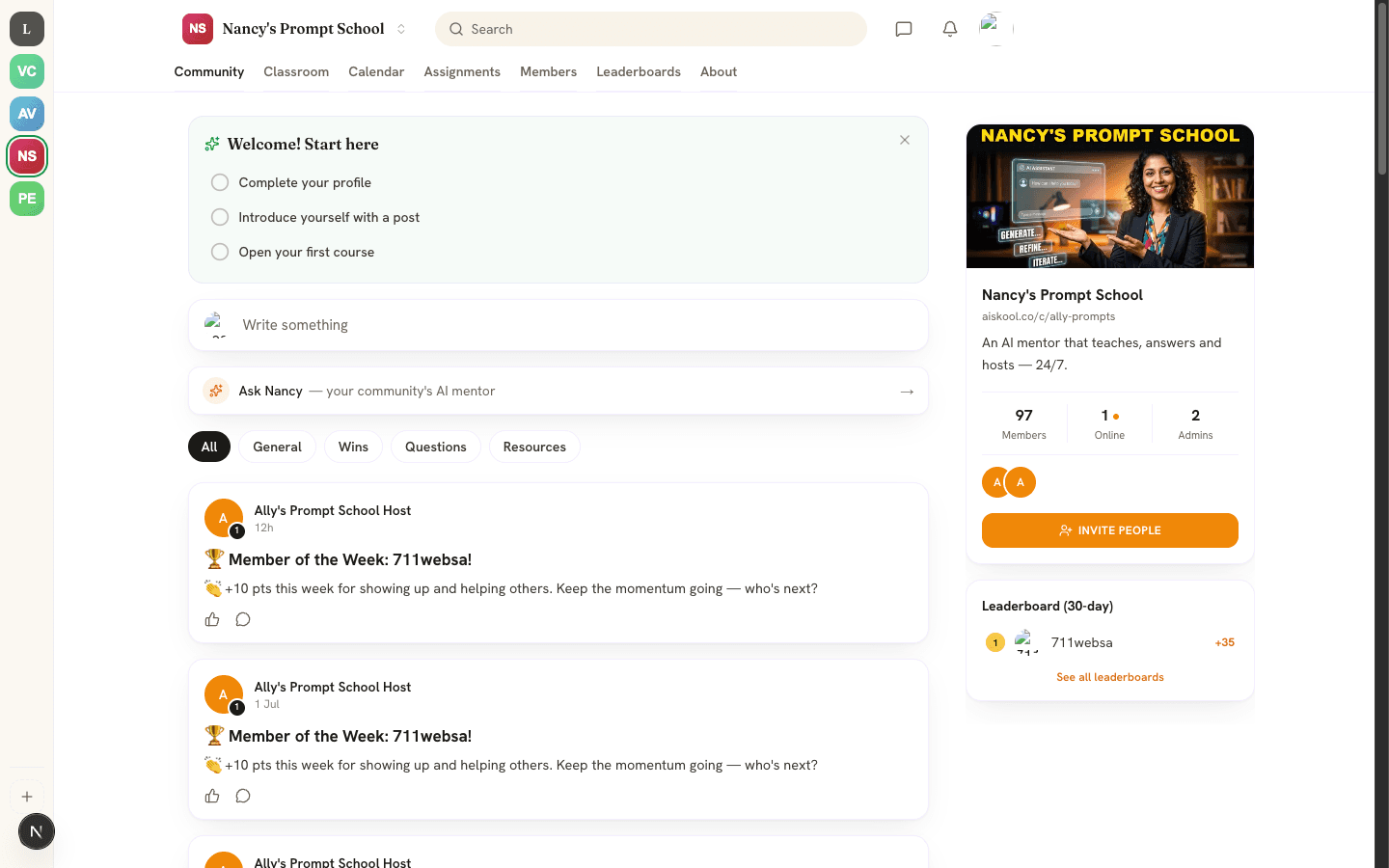
- Community tab, on a wide screen: the Leaderboard (30-day) card shows the top five members by points earned in the last 30 days. Choose See all leaderboards to open the full page.
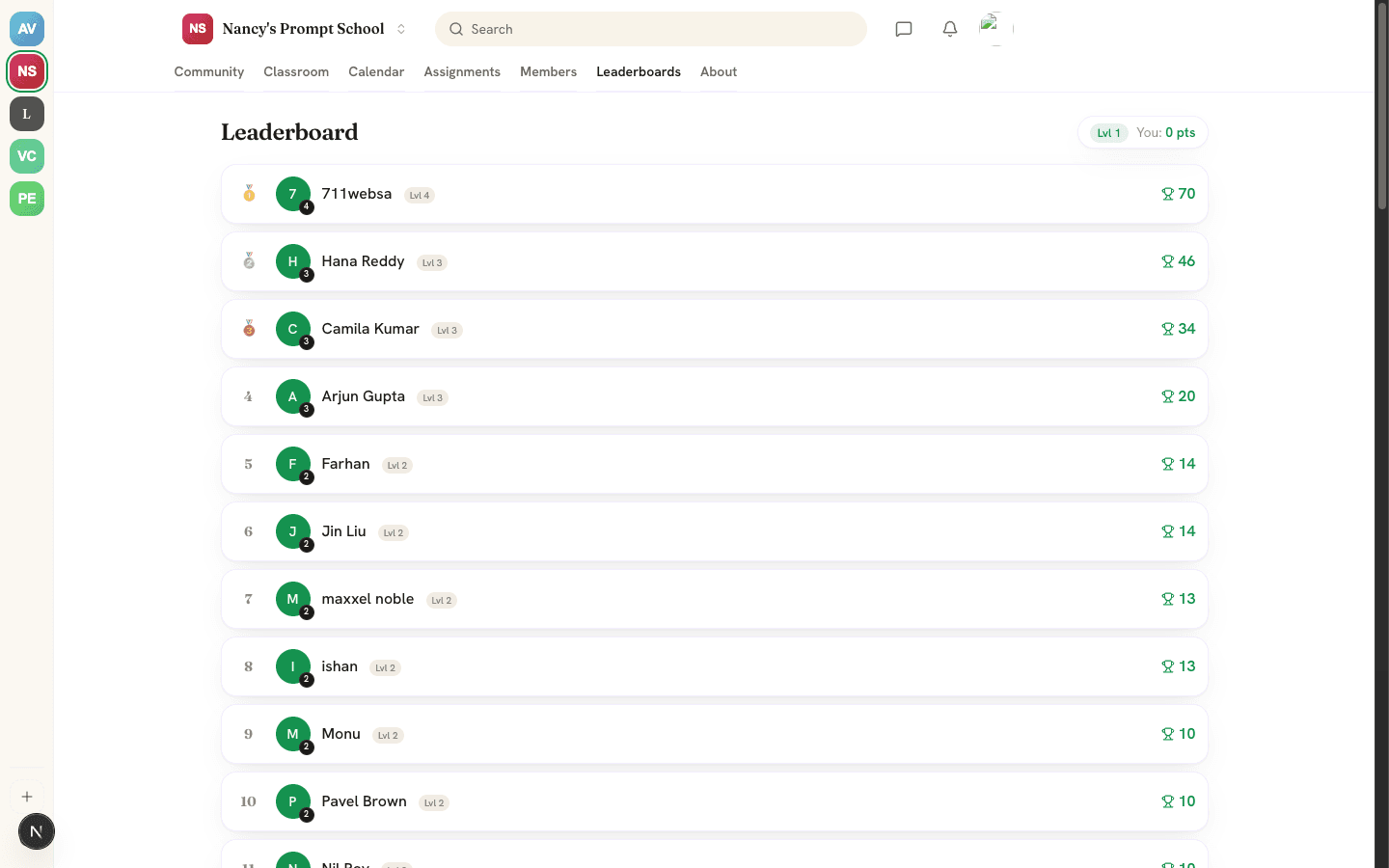
- Leaderboards tab: the all-time ranking of up to 50 members. The top three get medals, your row is marked (you), and the You pill shows your points and level.
- Mobile app: open More, then Leaderboard. Switch between This week (7 days), This month (30 days) and All time.
Only current members are ranked. A removed member drops off every board, and the AI host is never ranked. On the 30-day, week and month boards, a member appears only after earning points in that period. Levels always use all-time points.
Points and levels on profiles
Select a name on a leaderboard to open that member's profile card. It shows their level, a progress bar with the points left to the next level, their total points and an Activity chart. The chart has one square per day for the last six months, darker on days with more point-earning actions. At Level 9 the card says Max level reached.
In the feed, a small number on each author's avatar is their level. The mobile app shows the level, points and points to the next level on each profile.
Member of the Week
If your AI host is published, it posts a Member of the Week shoutout to your feed. It picks the member with the most points over the last 7 days, names them and says how many points they earned. That member also gets 25 bonus points.
The host posts at most one shoutout every 7 days, and none if nobody earned points in that time. It only runs while your community has AI credits or its own API key. See Plans, AI credits and bring your own key.
Frequently asked
Can I change how many points an action earns?
Why did my points go down?
Why is someone missing from the leaderboard?
Do my points carry over to other communities?
Related articles
Feed, spaces and posts
Post, comment and react in the community feed, organize it with categories, and pin, delete and report content.
Your AI host: Brain and Agent studio
Teach your AI host with AI Brain, shape its personality in the AI Agent studio, and see what it does and what it costs.
Members, roles and moderation
How people join your community, what each role can do, and how to remove, ban, report, hide and block.